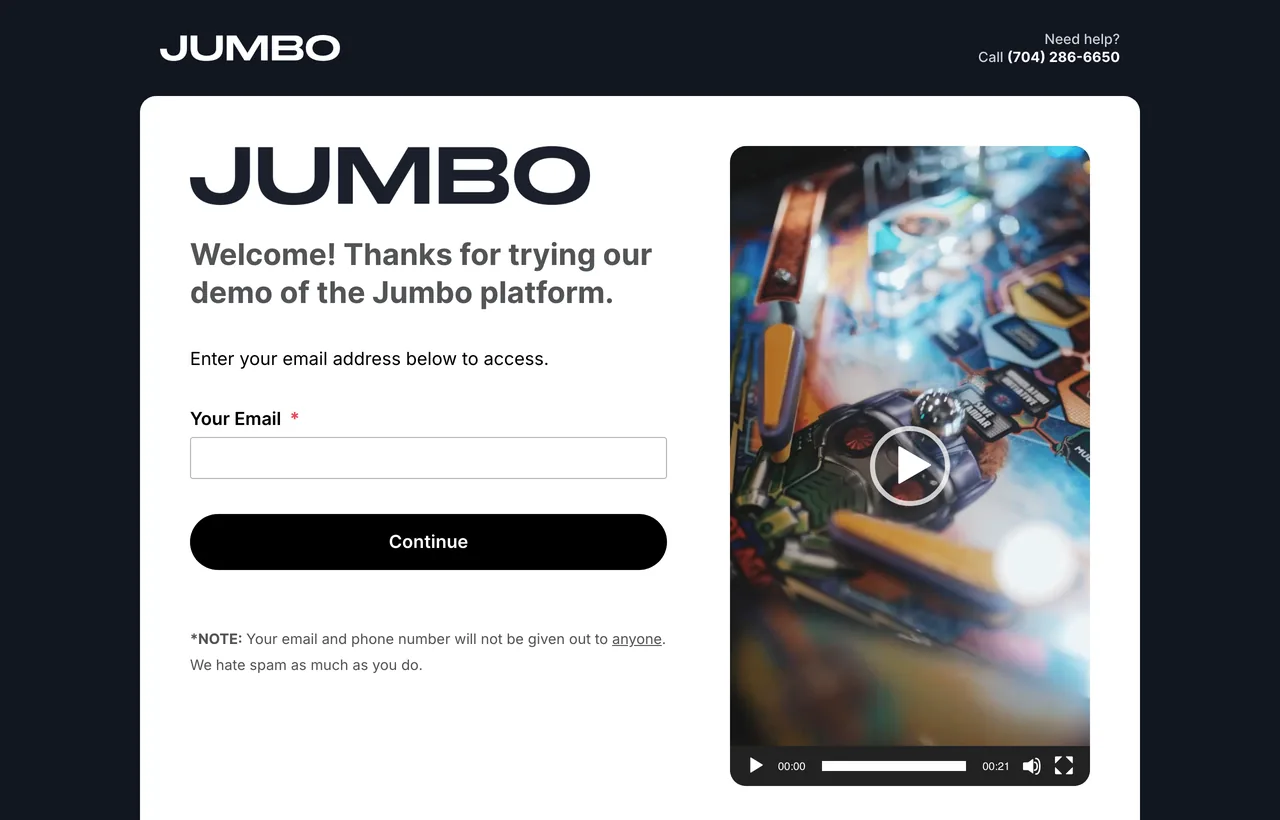
Send us the best original files you have and we size everything for the platform. This guide lists each asset, the size we need and where it shows up on your event site. To click through a live example, open demo.jumbo.live.
The short list
Most event sites need only three things from you. Everything else is optional, and we use sensible defaults when it's missing.
The easiest way is to send your brand kit
A brand guidelines PDF and your logo files cover almost everything on this page. We pull what we need and ask about anything missing.
Please send
Logo as vector artworkAI, EPS, PDF or SVG, in full color plus a white version for dark backgrounds
Event logo or lockupThe event's own mark, if it has one, in a horizontal and a stacked or square version
Brand colorsHex codes for your primary, accent and text colors
Nice to have
Start page image or videoVertical, 720 × 1280 px or larger. Without one, the form stands on its own
Hero backgroundAn image or looping video behind your event pages. A brand color works too
Link preview image1200 × 627 px. We can build one from your logo
Email header, favicon, fontsDetails for each are under Sizes and formats
Where it shows up
Attendees see your brand on the start page, where they enter their email to register or sign in, and on the event pages they land on afterwards. Hover over a number to see what it marks.
Site logoTop of every page, shown small. A horizontal version reads best
2
Help contactA phone number or email for attendees who get stuck
3
BackgroundA brand color, or an image or looping video
4
Event logoAbove the heading on the start and registration pages
5
Heading and welcome copyLive text, so it stays sharp and accessible. Send us the wording
6
Buttons and highlightsSet from your brand colors
7
Start page image or videoOptional. Vertical, beside the form, and it can also hold text or links
After registration
12345
Event page layout, drawn as a diagram
1
Site logoThe same file as the start page
2
MenuLinks to the pages of your event. We set these up with you
3
Event logo cardYour event logo on a white card. A stacked or square version fills it best
4
Hero backgroundAn image or looping video, softened so the text stays readable
5
Welcome textLive text with dates, what happens next and add-to-calendar buttons
Sizes and formats
Each outline shows the asset's proportions. Sizes are minimums, and larger is always fine.
Logo
Logo
Vector original
Used in the header, on emails and in link previews. Vector files scale to any size without blurring.
Formats
AI, EPS, PDF or SVG
No vector?
Transparent PNG, 1650 px wide or more
Versions
Full color, plus white for dark backgrounds
Horizontal
Stacked
Event logo
600 pxwide or more
The horizontal version goes on the start and registration pages. The stacked or square version fills the logo card on your event pages. Without a separate event mark, we use your main logo.
Versions
Horizontal and stacked or square
Format
Vector or transparent PNG
9:16
Start page image or video
720 × 1280px
Optional. Sits beside the email form and is cropped to fit each screen, so keep important details away from the edges.
Orientation
Vertical
Format
JPG, or a video file or Vimeo link
16:9
Hero background
1920 × 1080px
Optional. Sits behind the start page and the top of your event pages, softened so text stays readable. A solid color works well too. If you use an image, pick one that still works when it's cropped.
Format
JPG
Video
A looping Vimeo clip also works
1200 × 627
Link preview image
1200 × 627px exactly
The card that appears when someone shares your link in email, Teams, Slack or LinkedIn. More under Link previews.
Format
PNG or JPG
Default
We build one from your logo
Email header
Email header
1200 pxwide or more
Optional. It sits at the top of confirmation and reminder emails. Without one, we use your horizontal logo.
Format
PNG or JPG
Tip
Keep text large, since many people read email on a phone
1:1
Favicon
512 × 512px
Optional. The small icon in the browser tab. Use a simple mark that stays clear at 16 px.
Format
SVG or PNG
Shape
Square
16:9
Session images and video
1920 × 1080px
Optional. Thumbnails for the schedule and on-demand library, and any video you'd like on the site.
Photos
JPG
Video
The highest quality export you have
Aa
Fonts
Interby default
Optional. Sites use Inter unless you'd like your own typeface. If you do, send the font files and confirm your license covers web use.
Format
OTF or TTF, plus WOFF2 if you have it
Include
Every weight and style you use
We list sizes in full pixels, and high-resolution screens show images at about half that size, so a 600 px image appears about 300 px wide. Send the original file even for small placements, so we have room to crop and resize cleanly.
Link previews
When someone pastes your event link into an email or chat, this card appears. It's often the first thing people see.
Alex Morgan 10:42 AM
https://demo.jumbo.live
May 12–14, 2027 · Register now
Jumbo Demo Summit 2027Register for three days of sessions, May 12 to 14. Space is limited.
Use exactly 1200 × 627 px. Other proportions get cropped differently by each app.
Chat apps show the card about 360 px wide, so design for a small screen and make dates and names large.
Keep key content centered, since some apps trim the edges.
Send a title and a one-line description too, which appear under the image. About 170 characters fits most apps.
No image? We build a card from your logo, dates and location.
Colors and fonts
Send hex codes for your brand colors and tell us which ones you use for buttons, links and headings. We apply them across the site and can override them for a single page or sponsor. Here's Jumbo's own palette as an example.
Primary#0B1117 · backgrounds, buttons
Accent#6DE8B8 · highlights, links
Text on dark#F2F4F6 · headings
Secondary text#8B95A1 · captions, labels
Body text needs a contrast ratio of at least 4.5 to 1 against its background to meet accessibility guidelines. Light brand colors often work better as accents than behind white button text. We flag any pairs that fall short.
File types at a glance
Asset
Best
Also fine
Logos and graphics
AI, EPS, PDF or SVG
PNG with a transparent background
Photos
JPG at full resolution
PNG
Icons
SVG
PNG, or we make them from your vector artwork
Video
The original export, 16:9, 1920 × 1080 or larger
A Vimeo link
Fonts
OTF or TTF, every weight you use
WOFF2
Sending files
Put everything in one shared folder, such as Dropbox, Google Drive, SharePoint or Box, and send the link to your Jumbo Customer Success contact. Name files for what they are, like logo-white.svg or start-image.jpg, so nothing gets mixed up.
What happens next
We check every fileAnd tell you if anything is missing or too small
You review a previewWe build the pages on a preview site and send screenshots
Swap files any timeSend updates until launch and we'll put them in
See it live
The Jumbo demo site shows the start page, registration and event pages with sample branding.