How it works
Everyone enters through the start page. The site checks the email address, then opens the form or signs the person back in, with no password or separate login page.
- Enter an email
On the start page, in your brand
-
New email
Fill in the formYour registration questions, then Register
Email already registered
Signed back inStraight away, or with a sign-in link or text code if your site asks for one
- Confirmation email
Sent right after registering, with the event details and a calendar card
- Lands on the event
A lobby, main stage or a page just for their group
Your registration form
When someone enters an email we haven't seen, the form appears in place of the email field. It can be three fields or thirty. This is the short version on the demo site. Hover over a number to see what it marks.
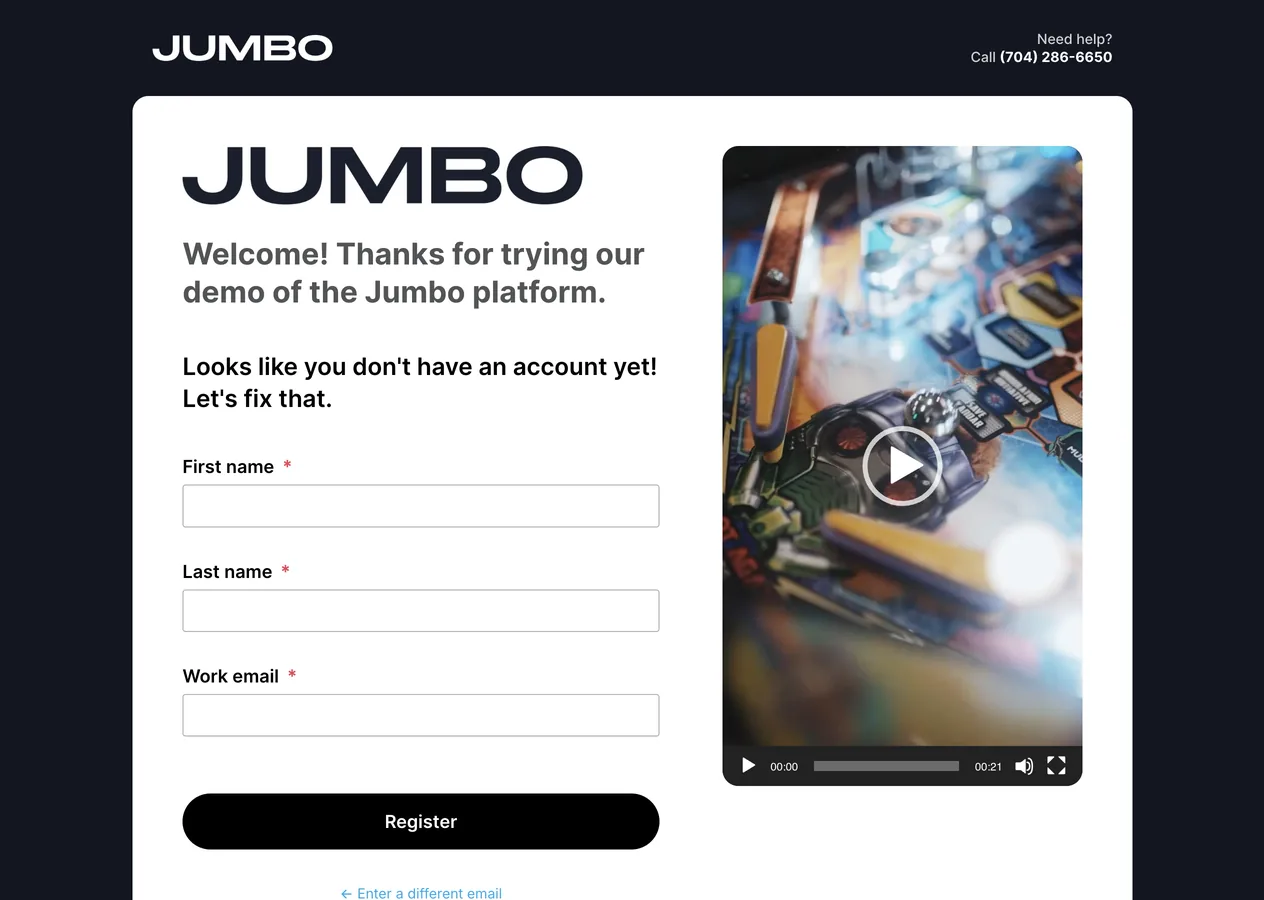
- Welcome lineShown only to new people. Send us the wording you'd like
- Your questionsAny mix of the question types below. Required ones are marked
- Register buttonIn your brand color. The label can change, like Save my seat
- Help contactA phone number or email for anyone who gets stuck
What to send us for the form
- Every question, in orderWith the answer choices for each one. A spreadsheet or document is fine
- Which are requiredKeep it short. Every required question costs you a few sign-ups
- Questions for some people onlyFor example, a dietary question that appears only for people attending the dinner
- LimitsSeat caps for sessions or meals, and what should happen when one fills
Question types we can use
| Short answer | Name, title, organization |
| Choices | Pick one or pick several, as buttons, a list or checkboxes |
| Dropdown | Long lists like country or state |
| Date and phone | Checked as people type |
| File upload | A headshot, a resume or a signed form |
| Agreement | A checkbox for terms, photo consent or a code of conduct |
After someone registers
People are confirmed the moment they press Register. Before registration opens, we set these up with you, and the notice to your team is optional.
Event details, an add-to-calendar card and a link back to the site. We send you a test first.
What to expect next, with a link to the agenda or lobby.
An email for each new registration, if you'd like one. Tell us which addresses should get it.
Who can register
By default anyone with the link can register. When an event is for a known group, we can narrow it in one of these ways.
Open
Anyone with the link
The usual choice for public events. Share the link anywhere.
Listed emails or domains
Only addresses you give us can register, or everyone at a domain like example.org.
A code to get in
We generate codes and you hand them out, for example one batch for each partner organization.
Where people land
After signing in, people go to one page you choose, usually the lobby or main stage. Different groups can land in different places, based on their segment. We set up a list like this one with you.
- SpeakersSpeaker lounge
- SponsorsSponsor hub
- Day 2 onlyDay 2 agenda
- Everyone elseMain stage
When someone can't get in
Almost every sign-in problem comes down to the email address. These steps solve most of them. If they don't, send us the person's name and email and we'll sort it out.
Ask the attendee to
- Use the email they registered withA work and a personal address count as two different people
- Check junk and spamFor the confirmation email or sign-in link
- Try another browserOr a different device, if a page won't load
We can
- Send a fresh sign-in linkIt signs them straight in
- Fix their recordA misspelled email, a changed name or a move to another session
- Look into anything elseEmail [email protected] with the details